Vocal Chops That Groove in Ableton
Watch the full breakdown
Vocal chops sound easy until yours come out stiff and lifeless. The problem usually starts before you slice anything: a wet, reverby source and a rigid MIDI rhythm doom the chop from the start.
In the video Psiger picks the right raw material, programs a rhythm that breathes, randomises the pitch so it feels human, then stacks the whole thing into a rack. Here is the workflow.
- Start with a dry vocal. Reverb and delay in the source smear the moment you chop.
- Program the chops as a call-and-response rhythm, not a random scatter.
- Leave gaps. The silences between chops are what make them groove.
- Randomise the pitch or move around a scale so the line feels human, not robotic.
- Quantise to the grid, then stack the whole chain into one rack for consistency and reuse.
Grab the vocal FX chain from the Mushroom tutorial so you have a ready processing rack for your chops.
Download the free Mushroom vocal FX chainChoose the right vocal source
▶ Play from 0:15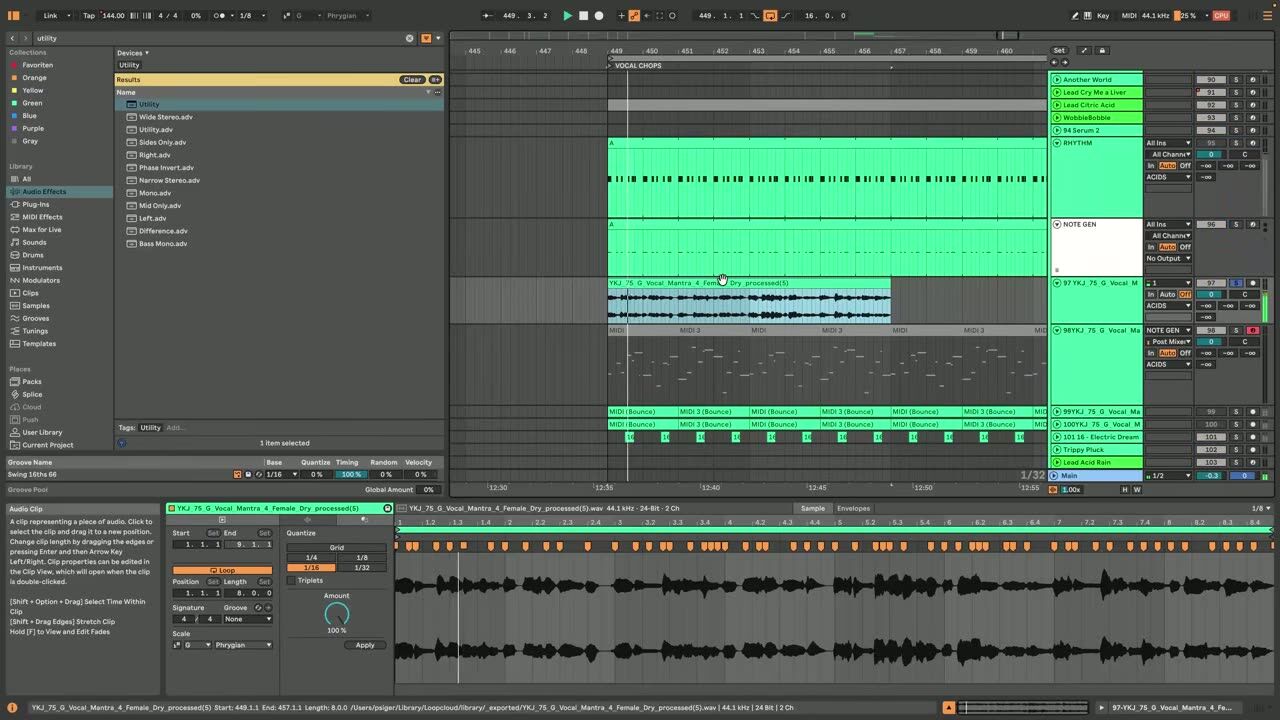
Start with a dry vocal. Reverb and delay baked into the source smear together the moment you chop it, so you want the cleanest, driest recording you can find. You can always add space back later, but you cannot remove it.
The quality of the chop is decided here more than anywhere else. A great dry source makes the rest easy.
Build a rhythmic chop pattern
▶ Play from 1:51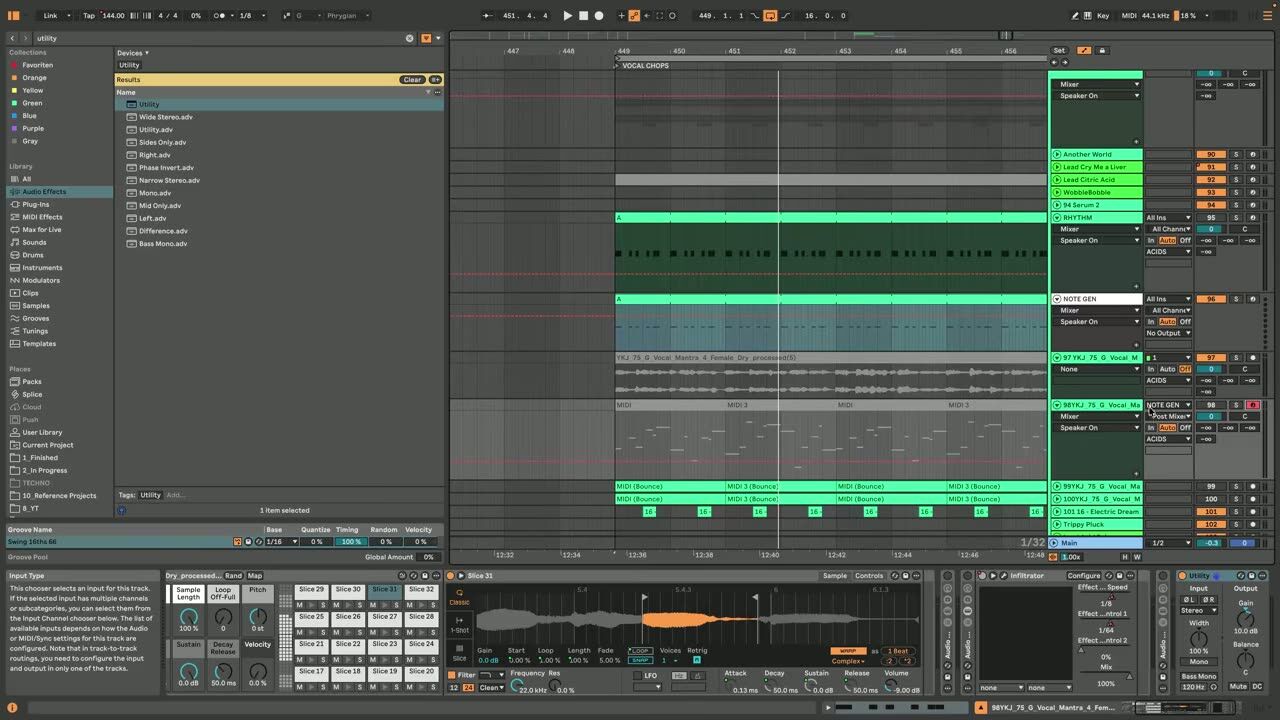
Program the chops as a rhythm, not a random scatter. A call-and-response, question-and-answer phrasing gives the chops a musical shape that pulls the listener along instead of just filling space.
Leave gaps. The silences between chops are as important as the hits, and they are what make the pattern groove rather than chatter.
Randomise the pitch
▶ Play from 3:00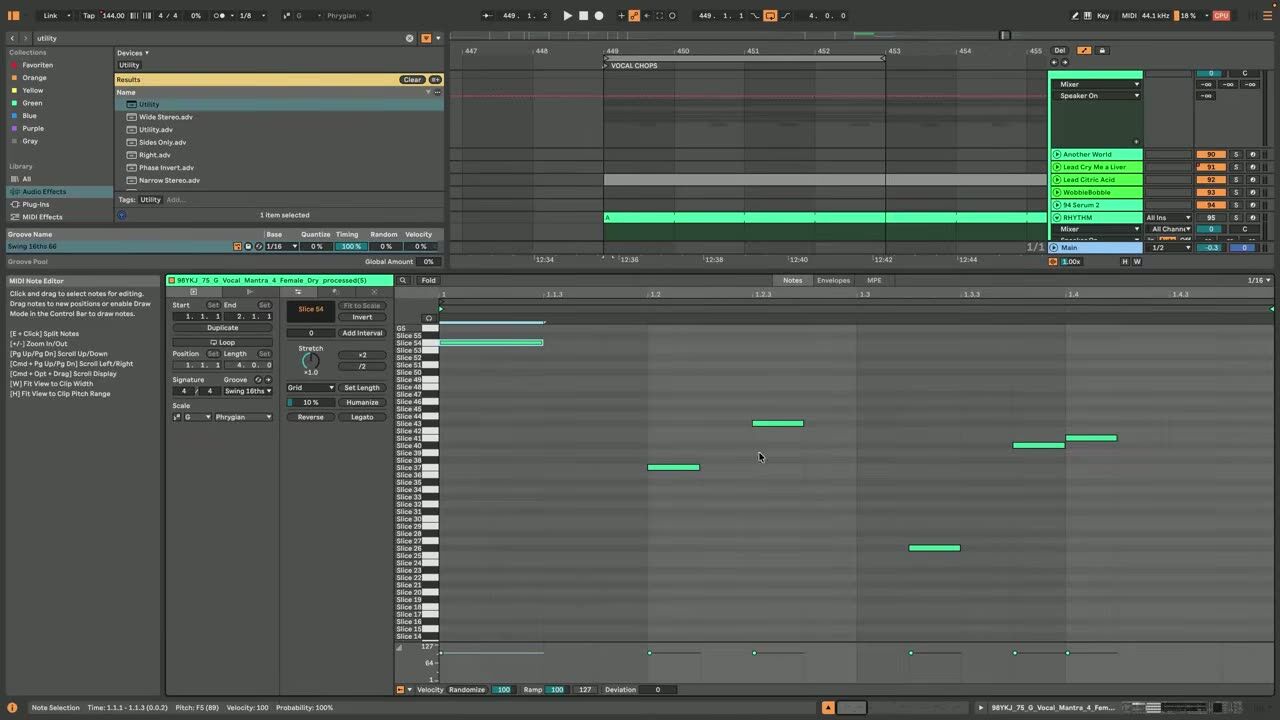
A chop pattern at one pitch sounds robotic. Randomise the pitch of the chops, or move them around a scale, so the line has melodic movement and a human feel. Small variations are enough to break the machine-gun repetition.
This is the step that turns a stiff chop into one that feels alive.
Grid quantise and rack stacking
▶ Play from 7:02Quantise the chops to the grid so they lock tightly with the drums, then stack the whole processing chain into a single rack. That keeps the sound consistent and lets you recall or tweak it as one instrument.
A rack also makes it trivial to drop the same chop treatment onto a new vocal next time.
Psytrance production FAQ
Why do my vocal chops sound stiff?
Should I add reverb before or after chopping the vocal?
How do I make vocal chops sound melodic instead of robotic?
Coaching helps you use vocal chops as a hook that carries a section, not just decoration.
See how the Blueprint works