Psytrance Vocal FX: The Mushroom Vocal Chain
Watch the full breakdown
A great psytrance vocal is barely about the recording. It is about the processing: the reverb, the delay, the pitch movement and the grit that turn a plain phrase into something hypnotic and otherworldly.
This is the exact Ableton chain for that mushroom-style vocal. Grab the free rack and follow along.
- Use reverb as a design tool, not just space. A big reverb smooths out a rough vocal and glues it into the track.
- Delay throws carry the vocal across a bar and pull it into the next section.
- Small pitch and formant movement is what makes a vocal feel alive rather than static.
- A touch of grit or bit-reduction gives the vocal that processed, psychedelic edge.
- Toggle each effect off at the end. Keep only what actually improves the sound.
Grab the exact Ableton FX chain from the video and drop it on your own vocal.
Download the free vocal FX rackStart with a stable vocal
▶ Play from 1:00
Pick the most tonally stable part of the vocal, without big pitch swings or tremolo. That gives the effects something consistent to work with. If the source is noisy, clean it first so the reverb and delay are not amplifying hiss.
Reverb and delay as the core
▶ Play from 3:20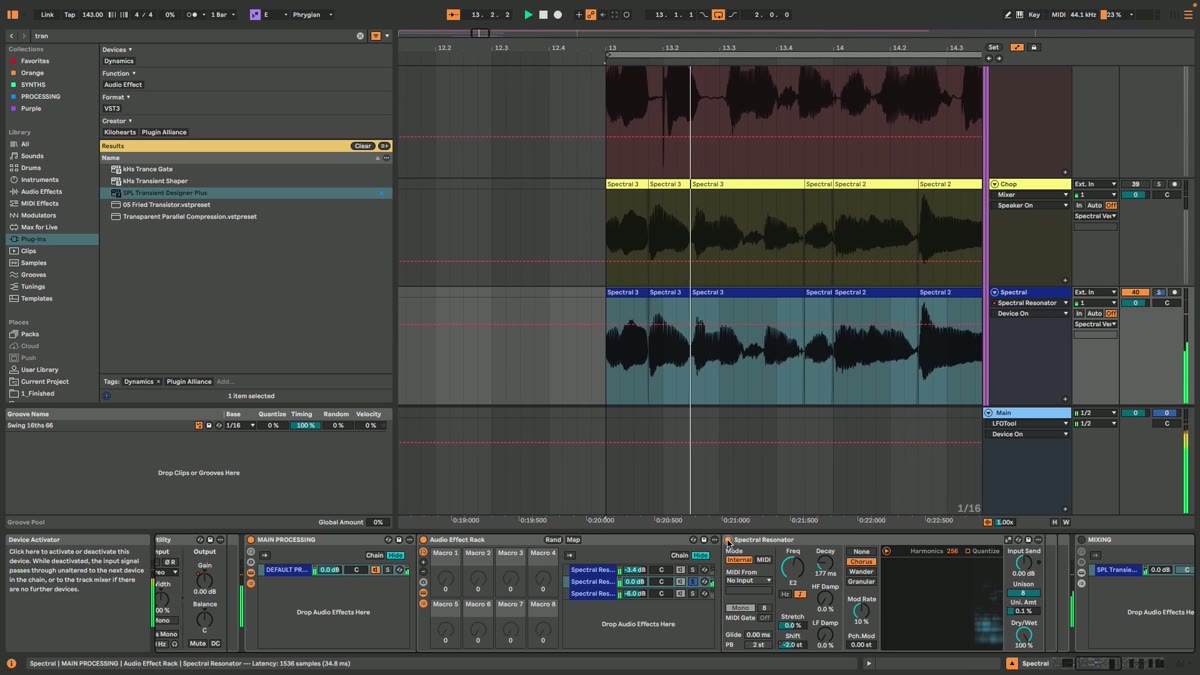
The core of the chain is a large reverb and a tempo-synced delay. The reverb is a design tool: it smooths the vocal and glues it into the mix. The delay, dotted or ping-pong, throws the vocal across the bar so it pulls into the next section instead of stopping dead.
Movement and grit
▶ Play from 6:00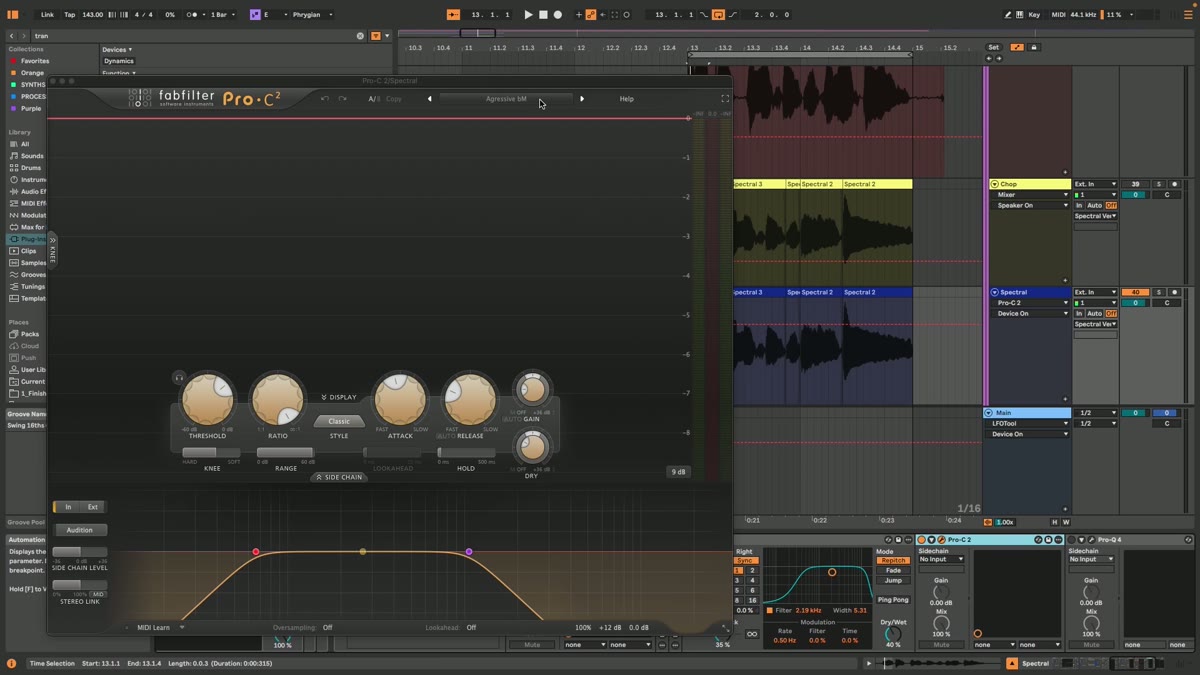
Static vocals feel dead. Add small, slow movement: a little pitch or formant modulation, an auto-pan, a filter that drifts. Then a touch of grit or bit-reduction for that processed, psychedelic edge. Keep it subtle, you want it felt, not obvious.
Make it sit in the mix
▶ Play from 8:00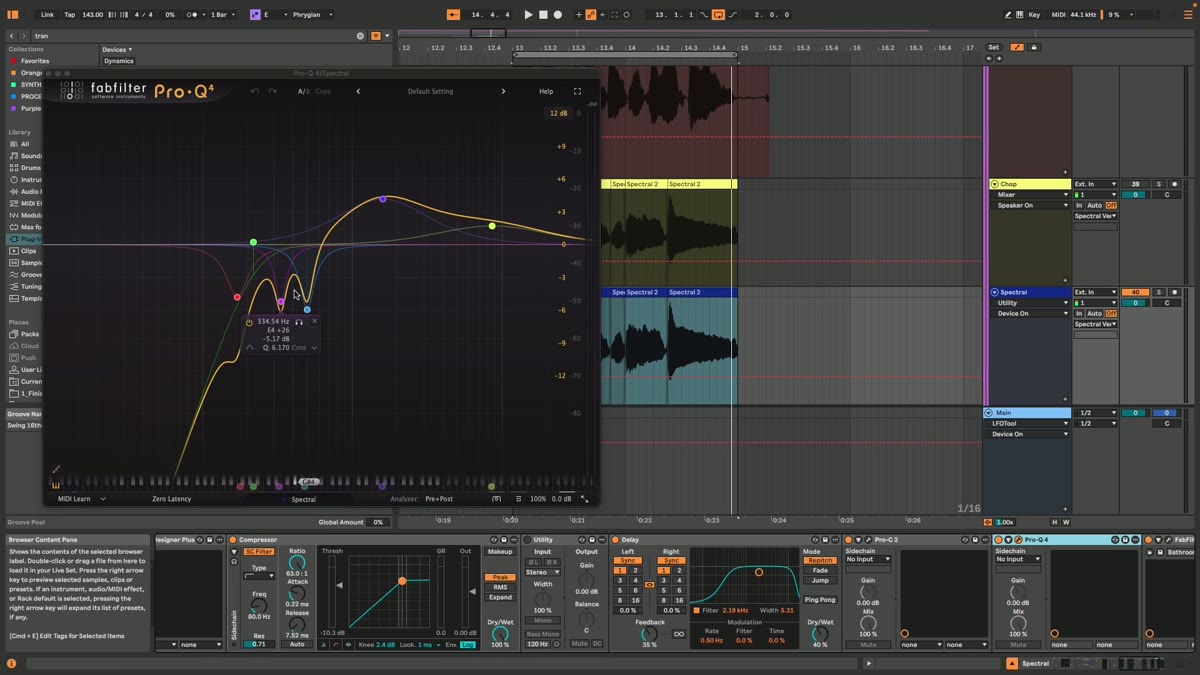
Finally, carve space. High-pass the low end, dip anything that clashes with the leads, and let the vocal float on top rather than fight the mids. Done right, it feels like part of the atmosphere instead of a sample dropped on top.
Psytrance production FAQ
How do I make a psytrance vocal sound psychedelic?
Should I use reverb for space or as an effect?
How do I keep a vocal from clashing with my leads?
Do I need a good microphone for psytrance vocals?
Vocal processing is easy to overdo. In coaching we tell you exactly which move is making your vocal muddy and which is making it magic.
See how the Blueprint works